Crunch es un programa que se basa en los criterios establecidos por el usuario para generar diccionarios que puedan ser usados en fuerza bruta. El resultado generado por Crunch puede ser visto en pantalla, puede ser guardado en un archivo .txt ó puede enviarse a otro programa en tiempo real para ser usado.
Podemos descargar la última
versión desde su pagina
oficial:
http://sourceforge.net/projects/crunch-wordlist/files/
o instalarlo directamente corriendo este comando en una terminal en Linux:
sudo apt-get install crunchPara ver como se usa y sus posibles opciones escribimos en la terminal:
man crunch
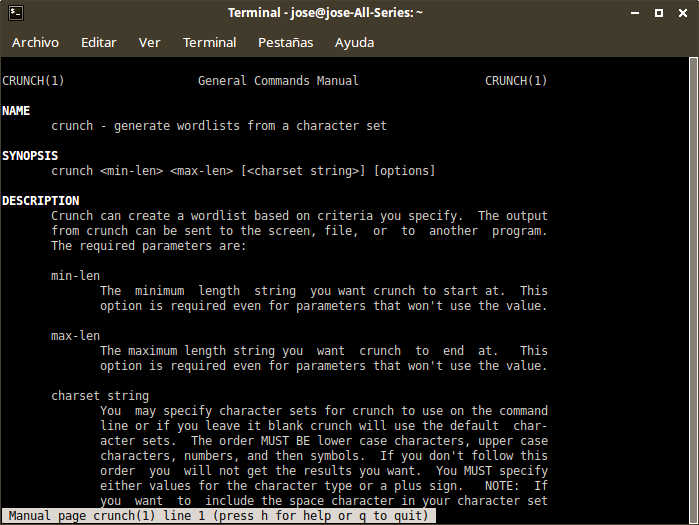
Este sería el resultado del manual completo de Crunch que aporta el autor:
CRUNCH(1) General Commands Manual CRUNCH(1)
NAME
crunch – generate wordlists from a character set
SYNOPSIS
crunch <min-len> <max-len> [<charset string>] [options]
DESCRIPTION
Crunch can create a wordlist based on criteria you specify. The output
from crunch can be sent to the screen, file, or to another program.
The required parameters are:
min-len
The minimum length string you want crunch to start at. This
option is required even for parameters that won’t use the value.
max-len
The maximum length string you want crunch to end at. This
option is required even for parameters that won’t use the value.
charset string
You may specify character sets for crunch to use on the command
line or if you leave it blank crunch will use the default char‐
acter sets. The order MUST BE lower case characters, upper case
characters, numbers, and then symbols. If you don’t follow this
order you will not get the results you want. You MUST specify
either values for the character type or a plus sign. NOTE: If
you want to include the space character in your character set
you must escape it using the \ character or enclose your charac‐
ter set in quotes i.e. «abc «. See the examples 3, 11, 12, and
13 for examples.
OPTIONS
-b number[type]
Specifies the size of the output file, only works if -o START is
used, i.e.: 60MB The output files will be in the format of
starting letter-ending letter for example: ./crunch 4 5 -b 20mib
-o START will generate 4 files: aaaa-gvfed.txt, gvfee-ombqy.txt,
ombqz-wcydt.txt, wcydu-zzzzz.txt valid values for type are kb,
mb, gb, kib, mib, and gib. The first three types are based on
1000 while the last three types are based on 1024. NOTE There
is no space between the number and type. For example 500mb is
correct 500 mb is NOT correct.
-c number
Specifies the number of lines to write to output file, only
works if -o START is used, i.e.: 60 The output files will be in
the format of starting letter-ending letter for example:
./crunch 1 1 -f /pentest/password/crunch/charset.lst mixalpha-
numeric-all-space -o START -c 60 will result in 2 files: a-7.txt
and 8-\ .txt The reason for the slash in the second filename
is the ending character is space and ls has to escape it to
print it. Yes you will need to put in the \ when specifying the
filename because the last character is a space.
-d numbersymbol
Limits the number of duplicate characters. -d 2@ limits the
lower case alphabet to output like aab and aac. aaa would not
be generated as that is 3 consecutive letters of a. The format
is number then symbol where number is the maximum number of con‐
secutive characters and symbol is the symbol of the the charac‐
ter set you want to limit i.e. @,%^ See examples 17-19.
-e string
Specifies when crunch should stop early
-f /path/to/charset.lst charset-name
Specifies a character set from the charset.lst
-i Inverts the output so instead of aaa,aab,aac,aad, etc you get
aaa,baa,caa,daa,aba,bba, etc
-l When you use the -t option this option tells crunch which symbols
should be treated as literals. This will allow you to use the
placeholders as letters in the pattern. The -l option should be
the same length as the -t option. See example 15.
-m Merged with -p. Please use -p instead.
-o wordlist.txt
Specifies the file to write the output to, eg: wordlist.txt
-p charset OR -p word1 word2 …
Tells crunch to generate words that don’t have repeating charac‐
ters. By default crunch will generate a wordlist size of
#of_chars_in_charset ^ max_length. This option will instead
generate #of_chars_in_charset!. The ! stands for factorial.
For example say the charset is abc and max length is 4.. Crunch
will by default generate 3^4 = 81 words. This option will
instead generate 3! = 3x2x1 = 6 words (abc, acb, bac, bca, cab,
cba). THIS MUST BE THE LAST OPTION! This option CANNOT be used
with -s and it ignores min and max length however you must still
specify two numbers.
-q filename.txt
Tells crunch to read filename.txt and permute what is read.
This is like the -p option except it gets the input from file‐
name.txt.
-r Tells crunch to resume generate words from where it left off. -r
only works if you use -o. You must use the same command as the
original command used to generate the words. The only exception
to this is the -s option. If your original command used the -s
option you MUST remove it before you resume the session. Just
add -r to the end of the original command.
-s startblock
Specifies a starting string, eg: 03god22fs
-t @,%^
Specifies a pattern, eg: @@god@@@@ where the only the @’s, ,’s,
%’s, and ^’s will change.
@ will insert lower case characters
, will insert upper case characters
% will insert numbers
^ will insert symbols
-u
The -u option disables the printpercentage thread. This should
be the last option.
-z gzip, bzip2, lzma, and 7z
Compresses the output from the -o option. Valid parameters are
gzip, bzip2, lzma, and 7z.
gzip is the fastest but the compression is minimal. bzip2 is a
little slower than gzip but has better compression. 7z is slow‐
est but has the best compression.
EXAMPLES
Example 1
crunch 1 8
crunch will display a wordlist that starts at a and ends at zzzzzzzz
Example 2
crunch 1 6 abcdefg
crunch will display a wordlist using the character set abcdefg that
starts at a and ends at gggggg
Example 3
crunch 1 6 abcdefg\
there is a space at the end of the character string. In order for
crunch to use the space you will need to escape it using the \ charac‐
ter. In this example you could also put quotes around the letters and
not need the \, i.e. «abcdefg «. Crunch will display a wordlist using
the character set abcdefg that starts at a and ends at (6 spaces)
Example 4
crunch 1 8 -f charset.lst mixalpha-numeric-all-space -o wordlist.txt
crunch will use the mixalpha-numeric-all-space character set from
charset.lst and will write the wordlist to a file named wordlist.txt.
The file will start with a and end with » «
Example 5
crunch 8 8 -f charset.lst mixalpha-numeric-all-space -o wordlist.txt -t
@@dog@@@ -s cbdogaaa
crunch should generate a 8 character wordlist using the mixalpha-num‐
ber-all-space character set from charset.lst and will write the
wordlist to a file named wordlist.txt. The file will start at cbdogaaa
and end at » dog «
Example 6
crunch 2 3 -f charset.lst ualpha -s BB
crunch with start generating a wordlist at BB and end with ZZZ. This
is useful if you have to stop generating a wordlist in the middle.
Just do a tail wordlist.txt and set the -s parameter to the next word
in the sequence. Be sure to rename the original wordlist BEFORE you
begin as crunch will overwrite the existing wordlist.
Example 7
crunch 4 5 -p abc
The numbers aren’t processed but are needed.
crunch will generate abc, acb, bac, bca, cab, cba.
Example 8
crunch 4 5 -p dog cat bird
The numbers aren’t processed but are needed.
crunch will generate birdcatdog, birddogcat, catbirddog, catdogbird,
dogbirdcat, dogcatbird.
Example 9
crunch 1 5 -o START -c 6000 -z bzip2
crunch will generate bzip2 compressed files with each file containing
6000 words. The filenames of the compressed files will be first_word-
last_word.txt.bz2
# time ./crunch 1 4 -o START -c 6000 -z gzip
real 0m2.729s
user 0m2.216s
sys 0m0.360s
# time ./crunch 1 4 -o START -c 6000 -z bzip2
real 0m3.414s
user 0m2.620s
sys 0m0.580s
# time ./crunch 1 4 -o START -c 6000 -z lzma
real 0m43.060s
user 0m9.965s
sys 0m32.634s
size filename
30K aaaa-aiwt.txt
12K aaaa-aiwt.txt.gz
3.8K aaaa-aiwt.txt.bz2
1.1K aaaa-aiwt.txt.lzma
Example 10
crunch 4 5 -b 20mib -o START
will generate 4 files: aaaa-gvfed.txt, gvfee-ombqy.txt, ombqz-
wcydt.txt, wcydu-zzzzz.txt
the first three files are 20MBs (real power of 2 MegaBytes) and the
last file is 11MB.
Example 11
crunch 3 3 abc + 123 !@# -t @%^
will generate a 3 character long word with a character as the first
character, and number as the second character, and a symbol for the
third character. The order in which you specify the characters you
want is important. You must specify the order as lower case character,
upper case character, number, and symbol. If you aren’t going to use a
particular character set you use a plus sign as a placeholder. As you
can see I am not using the upper case character set so I am using the
plus sign placeholder. The above will start at a1! and end at c3#
Example 12
crunch 3 3 abc + 123 !@# -t ^%@
will generate 3 character words starting with !1a and ending with #3c
Example 13
crunch 4 4 + + 123 + -t %%@^
the plus sign (+) is a place holder so you can specify a character set
for the character type. crunch will use the default character set for
the character type when crunch encounters a + (plus sign) on the com‐
mand line. You must either specify values for each character type or
use the plus sign. I.E. if you have two characters types you MUST
either specify values for each type or use a plus sign. So in this
example the character sets will be:
abcdefghijklmnopqrstuvwxyz
ABCDEFGHIJKLMNOPQRSTUVWXYZ
123
!@#$%^&*()-_+=~`[]{}|\:;»‘<>,.?/
there is a space at the end of the above string
the output will start at 11a! and end at «33z «. The quotes show the
space at the end of the string.
Example 14
crunch 5 5 -t ddd@@ -o j -p dog cat bird
any character other than one of the following: @,%^
is the placeholder for the words to permute. The @,%^ symbols have the
same function as -t.
If you want to use @,%^ in your output you can use the -l option to
specify which character you want crunch to treat as a literal.
So the results are
birdcatdogaa
birdcatdogab
birdcatdogac
<skipped>
dogcatbirdzy
dogcatbirdzz
Example 15
crunch 7 7 -t p@ss,%^ -l a@aaaaa
crunch will now treat the @ symbol as a literal character and not
replace the character with a uppercase letter.
this will generate
p@ssA0!
p@ssA0@
p@ssA0#
p@ssA0$
<skipped>
p@ssZ9
Example 16
crunch 5 5 -s @4#S2 -t @%^,2 -e @8 Q2 -l @dddd -b 10KB -o START
crunch will generate 5 character strings starting with @4#S2 and ending
at @8 Q2. The output will be broken into 10KB sized files named for
the files starting and ending strings.
Example 17
crunch 5 5 -d 2@ -t @@@%%
crunch will generate 5 character strings staring with aab00 and ending
at zzy99. Notice that aaa and zzz are not present.
Example 18
crunch 10 10 -t @@@^%%%%^^ -d 2@ -d 3% -b 20mb -o START
crunch will generate 10 character strings starting with aab!0001!! and
ending at zzy 9998 The output will be written to 20mb files.
Example 19
crunch 8 8 -d 2@
crunch will generate 8 characters that limit the same number of lower
case characters to 2. Crunch will start at aabaabaa and end at
zzyzzyzz.
Example 20
crunch 4 4 -f unicode_test.lst japanese -t @@%% -l @xdd
crunch will load some Japanese characters from the unicode_test charac‐
ter set file. The output will start at @日00 and end at @語99.
REDIRECTION
You can use crunch’s output and pipe it into other programs. The two
most popular programs to pipe crunch into are: aircrack-ng and airolib-
ng. The syntax is as follows:
crunch 2 4 abcdefghijklmnopqrstuvwxyz | aircrack-ng /root/Mycapfile.cap
-e MyESSID -w-
crunch 10 10 12345 –stdout | airolib-ng testdb -import passwd –
NOTES
1. Starting in version 2.6 crunch will display how much data is about
to be generated. In 2.7 it will also display how many lines will be
generated. Crunch will now wait 3 seconds BEFORE it begins generating
data to give you time to press Ctrl-C to abort crunch if you find the
values are too large for your application.
2. I have added hex-lower (0123456789abcdef) and hex-upper
(0123456789ABCDEF) to charset.lst.
3. Several people have requested that I add support for the space char‐
acter to crunch. crunch has always supported the space character on
the command line and in the charset.lst. To add a space on the command
line you must escape it using the / character. See example 3 for the
syntax. You may need to escape other characters like ! or # depending
on your operating system.
4. Starting in 2.7 if you are generating a file then every 10 seconds
you will receive the % done.
5. Starting in 3.0 I had to change the -t * character to a , as the *
is a reserved character. You could still use it if you put a \ in
front of the *. Yes it breaks crunch’s syntax and I do my best to
avoid doing that, but in this instance it is easier to make the change
for long term support.
6. Some output is missing. A file didn’t get generated.
The mostly explanation is you ran out of disk space. If you have veri‐
fied you have plenty of disk space then the problem is most likely the
filename begins with a period. In Linux filenames that begin with a
period are hidden. To view them do a ls -l .*
7. Crunch says The maximum and minimum length should be the same size
as the pattern you specified, however the length is set correctly.
This usually means your pattern contains a character that needs to be
escaped. In bash you need to escape the followings: &, *, space, \, (,
), |, ‘, «, ;, <, >.
The escape character in bash is a \. So a pattern that has a & and a *
in it would look like this:
crunch 4 4 -t \&\*d@
An alternative to escaping characters is to wrap your string with
quotes. For example:
crunch 4 4 -t «&*d@»
If you want to use the » in your pattern you will need to escape it
like this: crunch 4 4 -t «&*\»@»
Please note that different terminals have different escape characters
and probably have different characters that will need escaping. Please
check the manpage of your terminal for the escape characters and char‐
acters that need escaping.
8. When using the -z 7z option, 7z does not delete the original file.
You will have to delete those files by hand.
AUTHOR
This manual page was written by bofh28@gmail.com
Crunch version 1.0 was written by mimayin@aciiid.ath.cx
all later versions of crunch have been updated by bofh28@gmail.com
FILES
None.
BUGS
If you find any please email bofh28 <bofh28@gmail.com> or post to
http://www.backtrack-linux.org
COPYRIGHT
Copyright (c) 2009-2013 bofh28 <bofh28@gmail.com>
This file is a part of Crunch.
Crunch is free software: you can redistribute it and/or modify it under
the terms of the GNU General Public License as published by the Free
Software Foundation, version 2 only of the License.
Crunch is distributed in the hope that it will be useful, but WITHOUT
ANY WARRANTY; without even the implied warranty of MERCHANTABILITY or
FITNESS FOR A PARTICULAR PURPOSE. See the GNU General Public License
for more details.
You should have received a copy of the GNU General Public License along
with Crunch. If not, see <http://www.gnu.org/licenses/>.
Version 3.6 May 2014 CRUNCH(1)
Basándonos en él, su uso es bastante sencillo, basta con decirle la cantidad de caracteres que estamos buscando seguido de alguna opción.
Si por ejemplo queremos generar un diccionario con las posibles combinaciones de 4 caracteres tendríamos que poner:
crunch 4 4
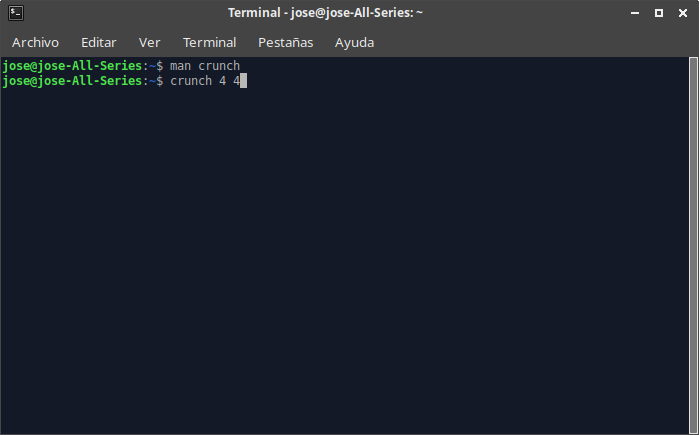
Y el resultado serán todas las combinaciones posibles desde aaaa hasta zzzz:
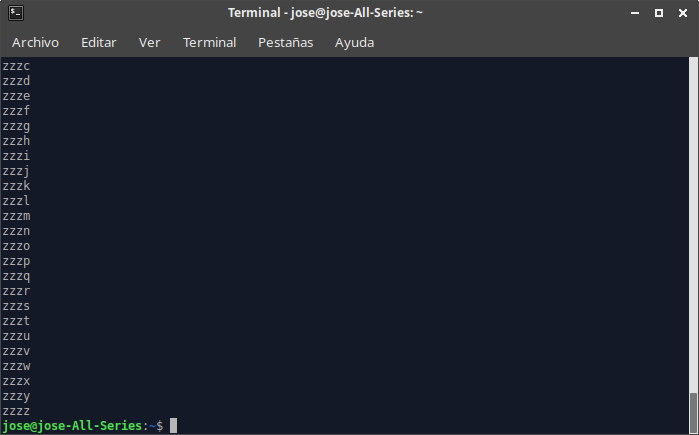
De esta forma hemos generado un diccionario con todas las posibles combinaciones de 4 caracteres pero usando sólo letras ya que Crunch, utiliza una variable llamada charset que por defecto utiliza el alfabeto.
Para que el resultado fuesen números podemos utilizarlo de la siguiente manera:
crunch 4 40123456789
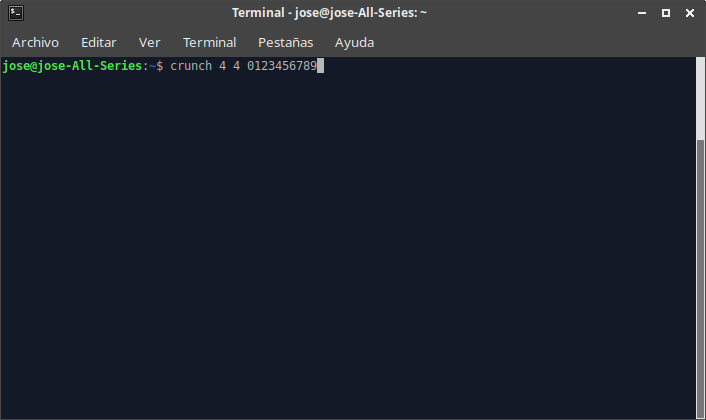
El resultado serían todas las combinaciones de 4 caracteres, sólo con números, por lo que empezaría en 0000 y terminaría en 9999:
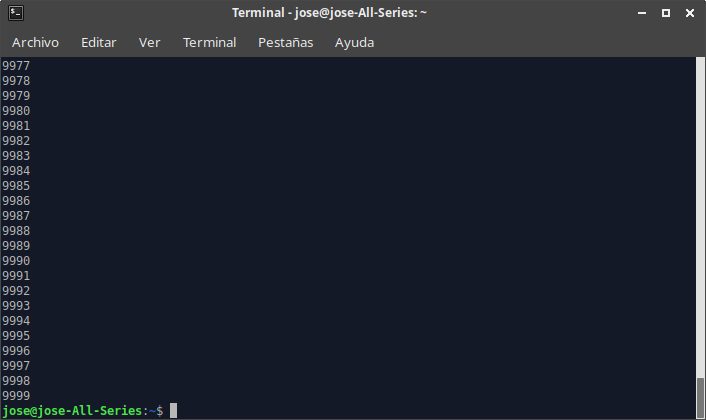
Podemos ver que es tan sencillo como indicarle el número mínimo y máximo de combinaciones y los caracteres que queremos utilizar.
Por ejemplo, queremos generar combinaciones de entre 3 y 4 caracteres que sólo contengan las letras uf y todos los números menos el 0, utilizaríamos el comando:
crunch 3 4 uf123456789
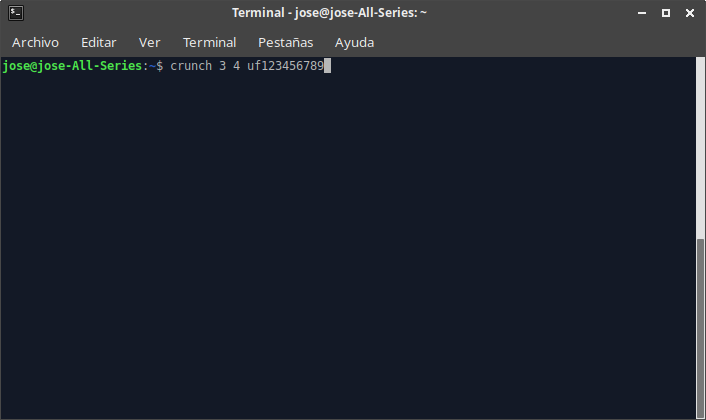
obteniendo como resultado las combinaciones posibles desde uf1 hasta 9999
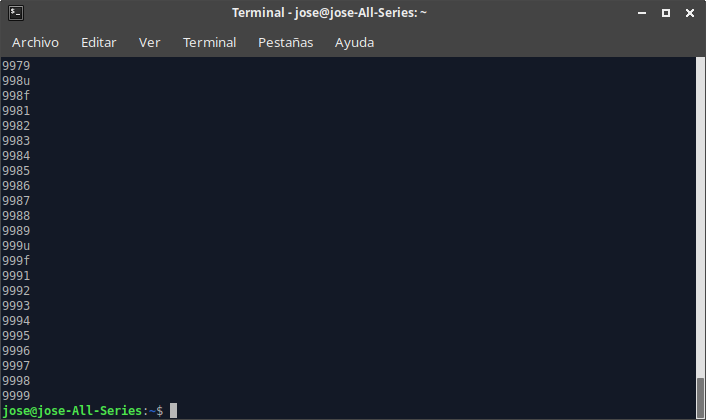
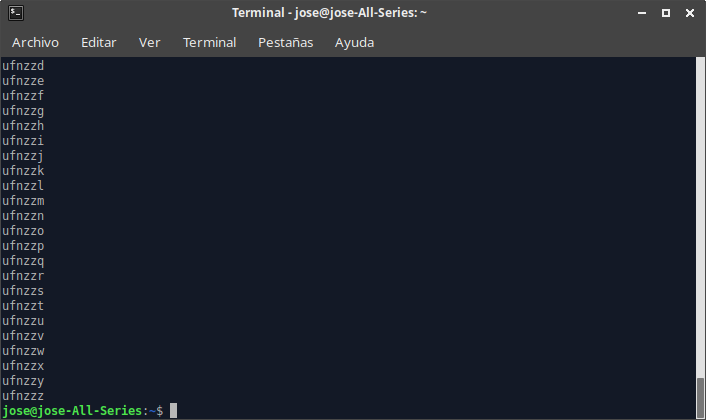
Supongamos ahora que hemos visto a alguien teclear su contraseña pero sólo sabemos que tiene 6 caracteres y que empieza por ufn. Podríamos buscar las combinaciones posibles que empiecen por ufn y tengan 6 caracteres con:
crunch 6 6 -t ufn@@@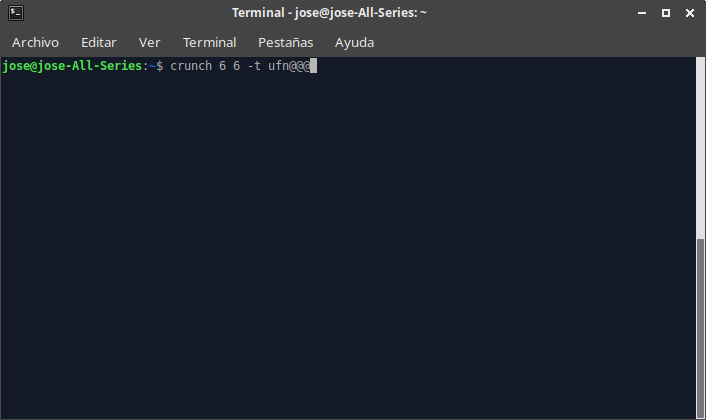
y el resultado sería:
Hemos visto en el manual de Crunch que con la opción -o podemos guardar el resultado en un fichero e indicarle la ruta donde debe guardarlo.
Debemos tener en cuenta que generar diccionarios de muchos caracteres crearía archivos de mucho tamaño por lo que podríamos querer tener muchos archivos de varios megas antes que un archivo .txt que pese 10GB con el que sería muy difícil trabajar.
Si por ejemplo, intentamos generar un diccionario de combinaciones entre 6 y 10 caracteres que contenga todo el alfabeto, todos los números y todos los símbolos, el resultado sería de cientos o miles de Terabytes que sería imposible guardar en ningún equipo. De modo que cuidado con generar archivos “descomunales”.
Si queremos generar un diccionario de entre 3 y 4 caracteres y que lo guarde en una fichero de texto en una ubicación concreta lo haríamos con la opción -o seguido de la ruta y el nombre del archivo que queremos que genere:
crunch 3 4 0123456789 -o /home/jose/Documentos/Diccionarios/diccnumerico.txt
Para que el diccionario generado sea con caracteres hexadecimales pondríamos:
crunch 3 4 0123456789abcdef -o /home/jose/Documentos/Diccionarios/dicchexad.txt
Cuando queremos que las combinaciones que tengamos en el diccionario no tengan más de 2 caracteres iguales consecutivos lo utilizaríamos de la siguiente forma donde el 2 indica el número de caracteres consecutivos máximo:
crunch 3 4 0123456789abcdef -d 2@ -o /home/jose/Documentos/Diccionarios/dicchexad.txt
La opción -b es la que nos deja elegir el tamaño de los ficheros que se generan cuando preveemos que el resultado será grande. Por ejemplo, si queremos generar un diccionario de entre 4 y 6 caracteres, en la misma ruta donde nos encontramos y que lo vaya separando en archivos de texto con un tamaño de 10MB cada uno lo haríamos de esta manera:
crunch 4 6 -b 10mib -o START
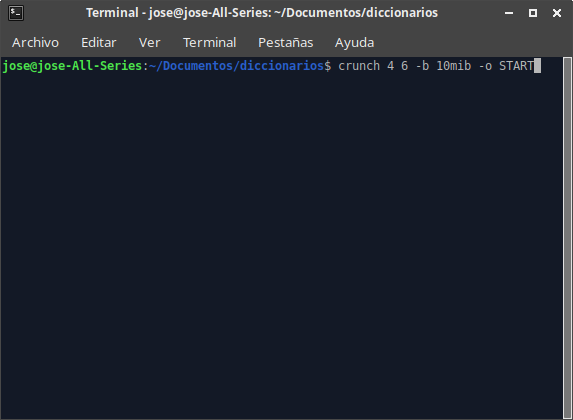
y veremos que comienza a generar todos los archivos que va a necesitar:
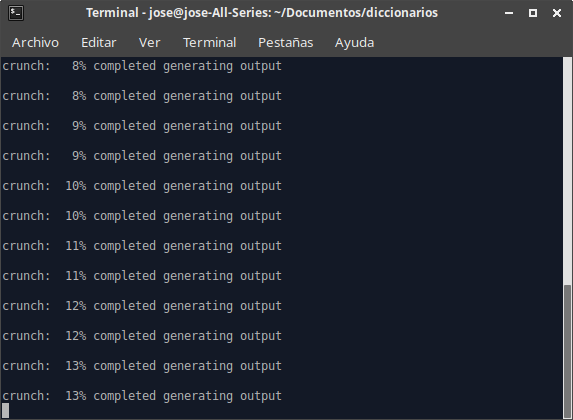
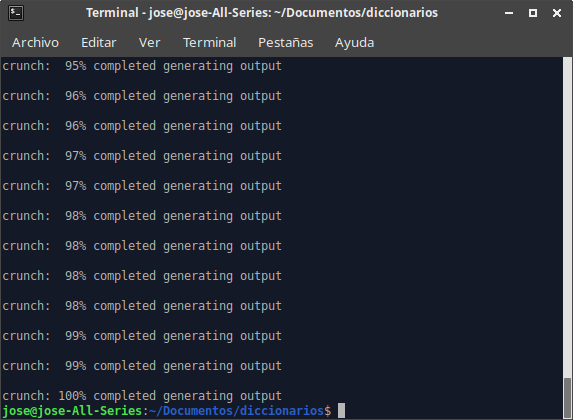
Como podemos ver que el resultado son ficheros .txt que tienen un tamaño de 10MB cada uno y cuyo nombre indica cual es la primera combinación y la última que hay en ese fichero:
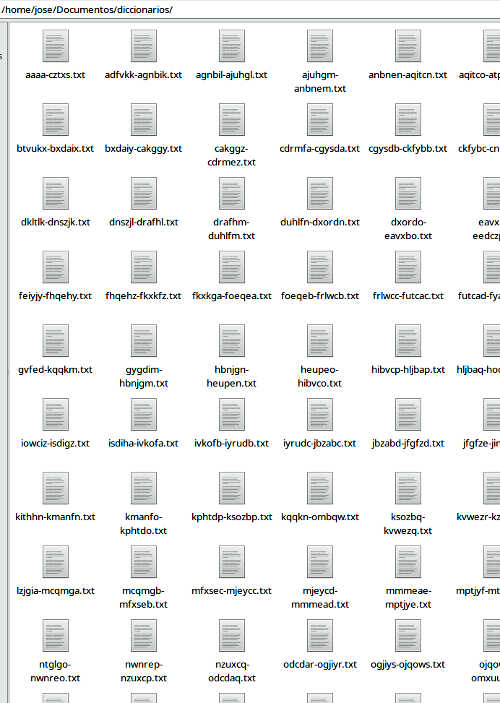
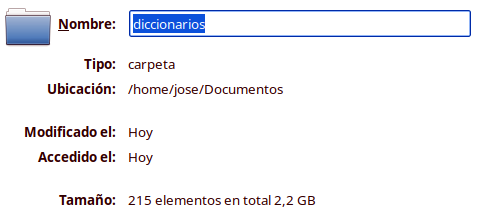
En este caso ha generado 215 ficheros de texto con un tamaño total de 2,2GB:
Estos archivos de texto podremos utilizarlos posteriormente en programas como aircrack-ng para crackear contraseñas de redes WiFi.